
Description
Wire-free sound from USB-C consoles and PCs
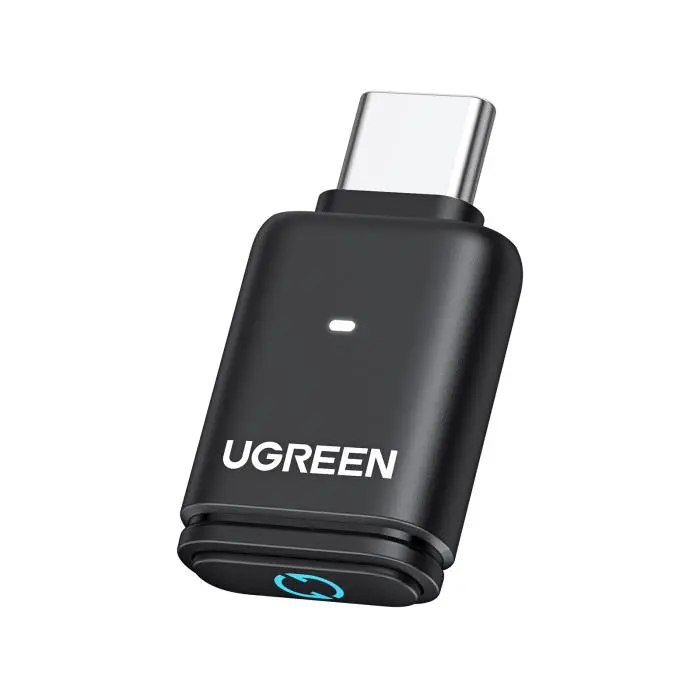
Plug this UGreen Bluetooth 5.3 adapter into a USB-C port to stream audio only to headphones or speakers—no drivers or companion apps on supported platforms.
aptX family and LEDs
A key switch cycles aptX, aptX Adaptive Low Latency, aptX Adaptive High Quality, aptX HD, and SBC decoding; matching LEDs show the active profile. Qualcomm silicon enables aptX LL with 24-bit dynamic audio on an efficient link. Your headset must support the same codec for that mode. aptX-Adaptive low-latency encoding targets under 100 ms delay for tighter A/V sync during wireless listening.
Where it works—and where it does not
- PS5, Nintendo Switch, and PC or laptop USB-C to Bluetooth audio gear
- Windows and macOS; Linux is not supported
- PS4 is not supported
- PS5 Portal is not supported
- AirPods Pro 2 are not supported; dual-device pairing is not available
PlayStation 5 audio routing
In PS5 settings, pick UGREEN-BT501 as the output device and disable automatic output switching so audio routes correctly.
Calls vs music (HFP)
Ships in stereo audio mode with HFP calling disabled. Double-click the multi-function button to turn calling on; the unit remembers that choice after reboot. Turning on Bluetooth calling can soften music and game sound—leave calling off for best playback and use a separate mic if you need voice chat. PS5 players often keep calling disabled for clearer game and music detail.
Practical tips
- Listed as an audio device in OS sound panels with volume control; the label can vary by system—check the manual for setup steps
- On desktops, spacing from neighboring USB devices helps limit interference
- Wireless range follows your receiver’s antenna and Bluetooth hardware
Available from Xccessories Lab for gamers and desk setups that need Bluetooth from USB-C.






Reviews
There are no reviews yet.