

Description
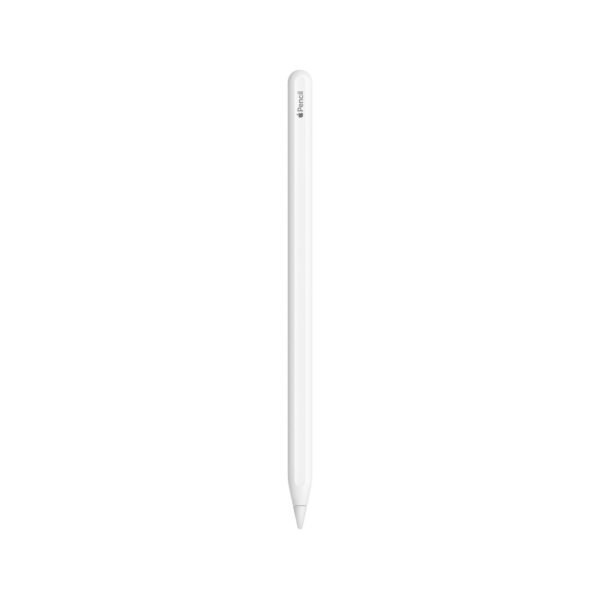
Apple Pencil Pro for drawing and notes on supported iPads
Apple Pencil Pro turns a compatible iPad into a precise input surface for sketching, coloring, handwriting, and document markup. Low latency, tilt and pressure response, and palm rejection keep strokes natural while your hand rests on the glass.
Input and gestures
- Pressure and tilt change line weight and shading like traditional media
- Squeeze and barrel roll, with haptic feedback, speed up tool and brush changes
- Apple Pencil hover on supported iPad Pro and iPad Air (M2) shows a preview before the tip touches down
- Double tap and the flat edge allow quick tool switches without leaving the canvas
- Find My helps locate Apple Pencil Pro if it is misplaced
Attach, pair, and charge
Magnetic alignment on compatible iPad models handles wireless pairing and charging—no cable required for routine top-ups. Snap it onto iPad Pro or iPad Air to refill the battery while you work.
Software and apps
Use built-in apps such as Notes and Freeform, or choose from apps on the App Store. Apple Pencil Pro is sold separately.
System requirement
Requires iPadOS 17.5 or later.
Supported iPad models
- iPad Pro 13-inch (M5)
- iPad Pro 13-inch (M4)
- iPad Pro 11-inch (M5)
- iPad Pro 11-inch (M4)
- iPad Air 13-inch (M4)
- iPad Air 11-inch (M4)
- iPad Air 13-inch (M3)
- iPad Air 11-inch (M3)
- iPad Air 13-inch (M2)
- iPad Air 11-inch (M2)
- iPad mini (A17 Pro)
Common questions
Does iPad mini work?
Yes — including iPad mini (A17 Pro) on the supported list.
Pressure and tilt supported?
Yes — both are built in for detailed art and neat notes.
Charging method?
Magnetically attach to a compatible iPad Pro or iPad Air for wireless charging.
iPad Air compatibility?
Yes — listed iPad Air generations are supported.
Palm rejection?
Yes — you can rest your hand on the display while writing or drawing.







Reviews
There are no reviews yet.